



Quick answer
The right network cable for security cameras solution starts with the buyer pain point, then matches Ethernet and network cable parameters to the real operating condition instead of treating the product name as a finished specification.
Customer pain behind "network cable for security cameras"
Customers searching for network cable for security cameras are rarely looking for a definition only. They are usually trying to remove a specific business problem around IP camera networks. In this case, the pain point is that camera links face outdoor transitions, PoE load, and long runs that ordinary indoor planning misses. If the supplier answers only with a generic product description, the buyer still has no clear way to reduce risk, compare options, or confirm whether the solution will work after installation or production.
The deeper problem is that many teams start from a product name instead of the operating condition. A purchasing team may ask for a quote, but the engineering, maintenance, quality, or store-operation team is actually worried about downtime, inconsistent performance, difficult service, or weak conversion. That gap is why the discussion should begin with the actual operating pain, not with a sales pitch.
How Ethernet and network cable solves the pain
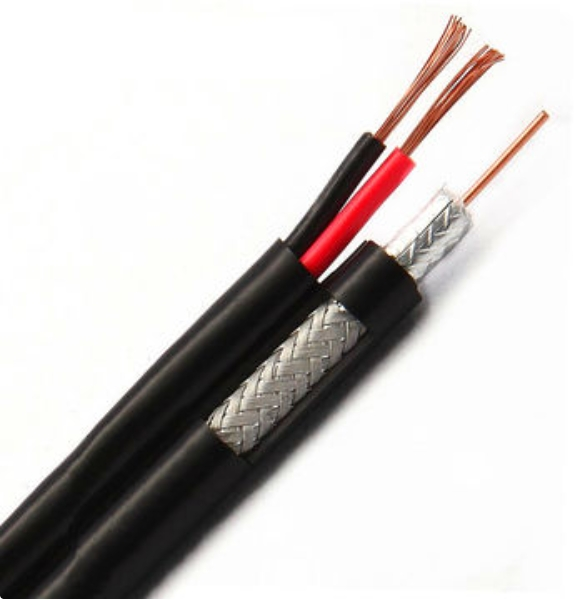
A product can solve this problem only when it is configured around the real use case. For network cable for security cameras, the product response should focus on Category, conductor, shield, jacket. Those parameters turn a broad product request into a practical solution because they connect the buyer's pain to something that can be checked, sampled, measured, installed, or maintained.
The best product discussion is therefore not "this product is good." It is: this product removes the customer's pain by controlling the failure point that created the problem. In network cable and structured cabling, that usually means reviewing the application, defining measurable requirements, and confirming whether the product path at owirecable.com supports the actual duty rather than the easiest catalog match.
Product parameters that should be checked
| Parameter | Why it matters | How to specify it correctly |
|---|---|---|
| Cable category and bandwidth | Category rating is useful only when the full channel supports the target speed. | Confirm bandwidth need, link length, connector class, and test standard. |
| Conductor material and AWG | Conductor quality affects PoE voltage drop, heat, termination, and long-term stability. | Specify conductor material, AWG, solid or stranded structure, and batch test evidence. |
| Shielding or UTP structure | Shielding helps noisy environments only if grounding and termination are done correctly. | Define UTP, F/UTP, S/FTP, grounding path, and compatible connectors. |
| Jacket rating and environment | The jacket decides whether the cable survives plenum, riser, UV, moisture, or burial conditions. | Match jacket rating to code, route exposure, and installation environment. |
| PoE current and heat | Current behavior affects contactor logic, fault response, heat, and usable power. | Specify continuous current, peak current, charge current, and protection timing. |
| Bend radius and termination quality | Rough pulling and tight bends deform pair geometry and create test failures. | Set bend radius, pulling tension, pathway fill, and termination practice. |
Pain-to-solution table
| Customer issue | Product response | Correct verification |
|---|---|---|
| Pain signal | camera links face outdoor transitions, PoE load, and long runs that ordinary indoor planning misses | Diagnose the site, workflow, or application before comparing suppliers. |
| Product response | Use Ethernet and network cable around IP camera networks. | Match product configuration to the pain point instead of choosing by price first. |
| Parameter control | Review Category, conductor, shield, jacket. | Put measurable requirements into the quotation or sample review. |
| Correct method | map distance, power, and exposure before selecting cable. | Validate with layout, sample, inspection, or installation checklist. |
Correct way to solve the customer pain
The correct solution method is to map distance, power, and exposure before selecting cable. This sounds simple, but it changes the entire buying process. Instead of collecting prices first, the team should document the pain point, define the operating condition, identify which parameters control the result, and then ask suppliers to respond against that checklist.
For example, a weak approach is to request "network cable for security cameras" and compare several offers by headline description. A stronger approach is to explain the application, state what has gone wrong before, specify which parameters must be confirmed, and request evidence through drawings, samples, inspection points, installation notes, or test records. This gives the supplier a chance to solve the real problem and gives the buyer a fair way to judge the answer.
Educational checklist for buyers
- Start with the symptom: quality drift, breakage, downtime, poor visibility, unsafe operation, or low conversion.
- Translate the symptom into a product parameter that can be checked.
- Avoid choosing by one attractive specification if the application needs a full system answer.
- Ask how the solution behaves during installation, production, maintenance, or peak demand.
- Keep photos, drawings, datasheets, and acceptance notes together so future teams can understand the decision.
FAQ
What is the most common mistake when buying network cable for security cameras? The most common mistake is treating the product name as a finished specification. The final result still depends on the operating condition, technical parameters, and the way the installation or process is verified.
How should buyers compare suppliers? Compare suppliers by how clearly they connect the pain point to a product configuration, a parameter table, and a practical check. A better supplier explains tradeoffs instead of only repeating features.
When should the product specification be revised? Revise it when the pain point cannot be solved by the initial configuration, when the site or workflow changes, or when sample testing shows that a key parameter is too weak for the real condition.