Menu
Home > Network Accessories
Networking accessories are devices or components that are used to support the operation of a computer network. They include various hardware and software tools that help facilitate communication between devices on a network, as well as protect the network from security threats.
Standard Attached Accessories:
With screw and nut
With 1 or 2pcs fixed shelves
With 4pcs castors and adjustersWith 2fans for 600x600mm for cabinets
With 4fans for 600×800/900/1000mm for cabinet
Other OptionalAccessories
Door19*PDU
Sliding shelf
Others according to customer’s requirements
Feature:
·RJ45 connector is the important interfaces equipment in the network connection.
·Fu, 1u, 3u, 15u, 30u, 50u staggered gold-plated connectors.
·Material is the high density polyethylene.
·RJ45 mainly used to connect network ports, switchs, telephones, etc.
·RJ45 standerd, 8P8C, connect network cables.
Product Description:
·Product Name:Network Cable Face Plate
·Model:Single/Double/Three/Four Ports
·Material:PC/Polycarbonate
·Feature:With Dust Cover
FEATURES:
·Using materials withstable performance,use more at ease
·Selection of materialsmore durable
·Wide application, longerservice life
Product Description:
·Application:19 inch Network Cabinet
·Height:1U /2U
·Standared:T586A /T586B/etc
·Package:1pc /box
·Feature:Anti-interference
·Accessories:Knife ,Network Keystone Jack
·Other:Can be customized
Network cable Tool Set:
·3 in 1 network pliers*1
·2 in 1 line testing tool*1
·L wire stripping knife*1
·S wire stripping knife*1
·1 to 1 module*1
·1 to 2 moduler*1
·Shield 8P8C connector*20
·RJ45 connector jacket*20
·Cable tie*100
·Handbag*1
Applications:
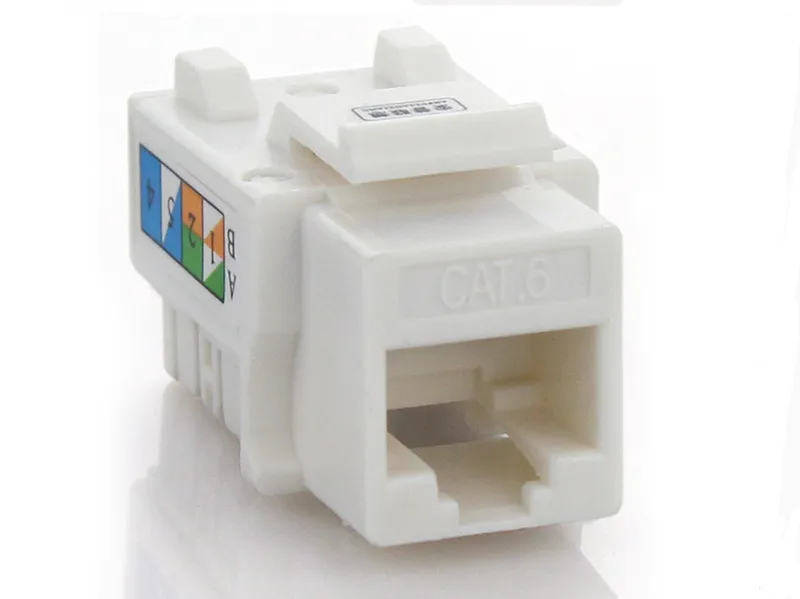
Item:RJ45 Keystone Jack
Material:PC+ Phosphor Bronze+ Circuit Board
IDC Accept:22-26AWG Solid Wire
Angle:90 Degree
Spring Wire:Phosphor Bronze With Gold-plated 6u -50u
Insertion Life :≥1000 Mating Cycles
Feature
·It is lead out from the RJ45 series ports which can meet the international standards .
·IDC: Phosphor Bronze materials ,tin plated.the suitable line diameter is 0.35-0.5mm solid wire,
·Contact: Phosphor Bronze materials ,with 3 inch – 50 inch Gold plating onContact area, technical performance can meet to TIAElA568 CAT5E standardsd
Feature
·High quality, high assurance
·Portable style with perfect shape.
·For cuts, strips and crimps.
·Suitable for 8P8C/rj45.
·With closed lock for stored, use on stranded wire only.
There are many tools that can be used for networking, ranging from hardware devices to software applications. Here are some common tools for networking:
Ping: This is a command-line tool that can be used to test the reachability of a network device or server, by sending an ICMP packet and measuring the response time.
Traceroute: This is a command-line tool that can be used to trace the path that packets take to reach a particular destination on a network.
Network scanners: These are software tools that can detect and identify devices on a network, as well as their IP addresses and open ports.
Network analyzers: These are software tools that capture and analyze network traffic, allowing administrators to troubleshoot and diagnose network issues.
Protocol analyzers: These are specialized software tools that decode and analyze network protocols, providing detailed information about the data being sent and received on a network.
Bandwidth monitors: These are software tools that track the amount of bandwidth being used by individual devices on a network, helping administrators to identify and address bottlenecks or performance issues.
SNMP (Simple Network Management Protocol) tools: These are software tools that allow administrators to monitor and manage network devices and services using SNMP.
Remote access tools: These are software tools that provide remote access to network devices or servers, allowing administrators to configure and maintain them from a remote location.
Cable testers: These are hardware devices that can be used to test Ethernet cables for continuity and detect wiring issues.
Crimper tools: These are hardware devices that can be used to attach connectors to the ends of Ethernet cables, enabling them to be connected to network devices.
To set up a computer network, the following materials are typically needed:
Network devices: This includes routers, switches, hubs, and access points that allow devices to connect to the network.
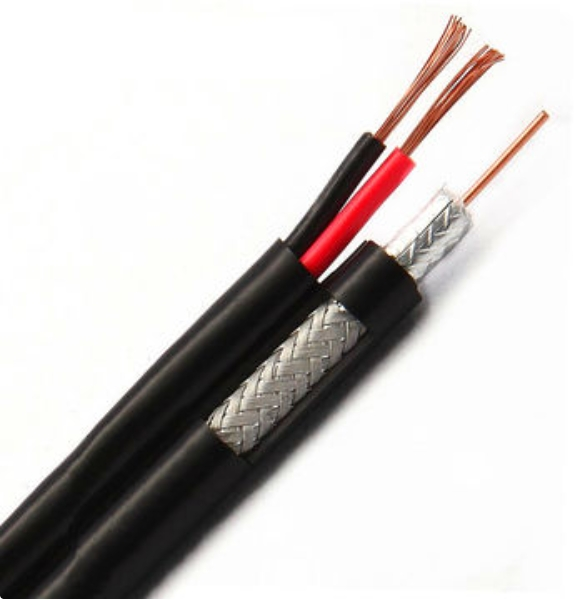
Network cables: Ethernet cables are used to connect devices on the network through wired connections.
Patch cables: These short Ethernet cables are used to connect devices to wall jacks or patch panels.
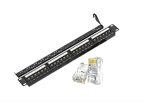
Keystone jacks: These are small connectors that fit into wall plates or patch panels, allowing Ethernet cables to be connected to them.
Wall plates: These are installed in the walls and provide a mounting point for keystone jacks.
Patch panels: These are used to organize and manage network cables in a central location, providing a connection point for each cable.
Cable ties: These are used to bundle and organize network cables, making it easier to manage them.
Network cabinets/racks: These provide a secure and organized location for network equipment, such as servers, switches, and patch panels.
Power strips: These are used to provide power to network devices, such as routers, switches, and servers.
Labels: These are used to identify network cables, ports, and devices, making it easier to manage and troubleshoot the network.
Network software: This includes operating systems, network monitoring tools, and security software used to manage and maintain the network.
UPS (Uninterruptible Power Supply): These provide backup power to network devices in case of a power outage, ensuring continuity of service.
The five components of a network are:
Clients: These are devices that interact with the network and request services or resources from servers. Examples of clients include desktop computers, laptops, smartphones, and tablets.
Servers: These are powerful computers that provide services or resources to clients on the network. Examples of servers include file servers, web servers, email servers, and database servers.
Network interfaces: These are hardware components that allow devices to connect to a network. Examples include network interface cards (NICs) for Ethernet connections, Wi-Fi adapters for wireless connections, and Bluetooth adapters for short-range wireless connections.
Transmission media: This refers to the physical communication channels used to transmit data over a network. Examples include copper cables (e.g. twisted pair), fiber optic cables, and wireless signals (e.g. Wi-Fi).
Network protocols: These are sets of rules and standards that govern how data is transmitted and received on a network. Examples include TCP/IP, HTTP, SMTP, FTP, and DNS. Protocols enable devices on a network to communicate with one another and ensure that data is transmitted efficiently, accurately, and securely.